 Tasker
Download the Tasker app for Android
Book pros, pay safely and chat with your pro, or sign up to find work. One app for customers and pros.
About this download
- Version
- 1.1.0 (build 6100)
- Size
- 46.2 MB
- Works on
- Android 7.0 or later
- Updated
- 4 November 2026
- From
- dl.tasker.ng, Tasker's own server
- SHA-256
- 0a518fd786a1c0fea12b33d9a9b56ae5f2bf631f2a1be6efc68c577abe44dae5
How to install
Download on your phone
Open this page on your Android phone and tap Download for Android.
Open the file
When the download finishes, tap the notification or open Tasker.apk from your Downloads.
Allow the install
Android asks before installing apps from outside the Play Store. Tap Settings, turn on Allow from this source for your browser, then go back and tap Install.
Sign in
Open Tasker and enter your phone number. We text you a 6-digit code; there is no password.
After you sign in
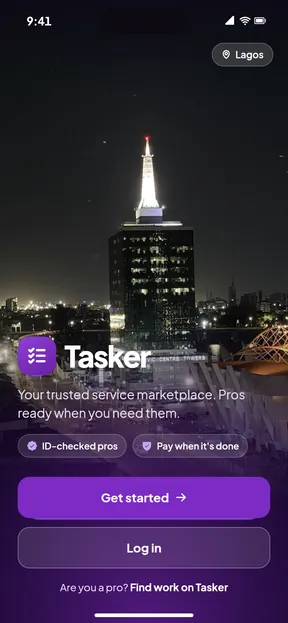
- Tap Get started to book a pro, or Find work on Tasker to sign up as one.
- Pick from 111 services in 12 categories, with fixed prices on 20 common jobs.
- Choose your area: Tasker is live in 14 parts of Lagos.
- Chat and call your pro in the app. Your number stays private.
Problems installing? Email support@tasker.ng with your phone model.
Questions
More answers on the FAQ page, or email support@tasker.ng.
Is the Tasker app free?
Yes. Downloading the app and signing up are free. Customers pay for the jobs they book, plus a 10% service fee shown before they pay.
Why does Android ask me to allow the install?
The app downloads straight from dl.tasker.ng instead of an app store, so Android asks you once to allow installs from your browser. You can check the file against the SHA-256 on this page.
Do I need an email address?
No. You sign in with your Nigerian phone number and a 6-digit code sent by SMS. There is no password.