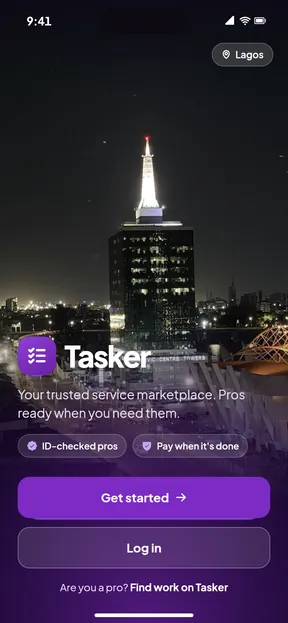
Tasker
How Tasker works
You book and pay in the app, an ID-checked pro does the work, and the pro is paid only when you say the job is done.
Two ways to book
Fixed-price jobs
For common jobs with a set price, like AC servicing, a standard clean or a plumbing call-out. There are 20 of them today.
Choose the job
Pick a fixed-price job in the app. You see the price, the 10% service fee and the total before you pay.
Pay into Tasker
Your payment is held by our licensed payment partner, not paid to the pro. If no pro accepts within 15 minutes, you get a full refund.
Give the start code
When the pro arrives, give them the 4-digit start code from your app. Extra parts are only added if you approve them in the chat.
Tap Job done
Check the work, then tap Job done to release the payment. Eligible jobs come with a free redo within 7 days.
Quotes
For work that varies, like roofing, catering or a car respray. You compare prices before you commit.
Describe the job
Say what you need, add photos, and choose your area and a good time.
Compare quotes
Up to 5 ID-checked pros send you a price. Chat with them in the app before you choose.
Accept and pay into Tasker
Accept the quote you like and pay. The money is held by our licensed payment partner until the work is done.
Tap Job done
Give the pro your start code when they arrive. When you are happy with the work, tap Job done and the pro gets paid.
What happens to your money
- You pay the job price plus a 10% service fee. The app shows both before you pay.
- The money is held by our licensed payment partner, not by the pro and not in a Tasker bank account.
- If the pro declines or does not respond within 15 minutes, you get a full automatic refund, fee included.
- When you tap Job done, the job price goes to the pro. If you do not respond within 48 hours after the pro marks the job finished, it completes on its own; the app reminds you first.
- If you cancel before the cut-off time shown in the app, or the pro cancels or does not turn up, you get a full refund.
If something goes wrong
Report it in the app. Support can see the booking, the chat and the photos.
Do not tap Job done
While you have not confirmed, the money stays held while support looks at the problem.
7-day redo
On eligible jobs, if the same problem comes back within 7 days, a pro comes back to fix it at no extra cost.
Disputes
If you and the pro do not agree, our team reviews the evidence from both sides and can give a full or part refund.
Two people approve refunds
Every refund by our staff is approved by two separate team members.
Safety on every job
ID-checked pros
Pros confirm their NIN, take a selfie that is compared with their ID photo, and show proof of their skills or experience. The checks reduce risk but cannot remove it, so ratings from real bookings help too.
The start code
Each booking has a 4-digit start code in your app. Give it only to the pro shown in the app, once they have arrived and you are ready for the work to start.
Private chat and calls
Phone numbers are masked. You message and call the pro inside the app, and calls are not recorded.
Extras need your yes
If the pro needs parts or more work, they ask in the chat with a price. Nothing is added until you approve it.
Get the Tasker app
Booking, payment, chat and calls with your pro all happen in the app. Sign in with your phone number.